

System Overview
Sari Platform connects three types of users to a unified API management layer:- Admin Users manage collections, approve registrations, and configure access via the Admin Console
- Client Users register for access through the Admin Console
- AI Agents (Claude Desktop, etc.) discover and execute APIs through the MCP Server
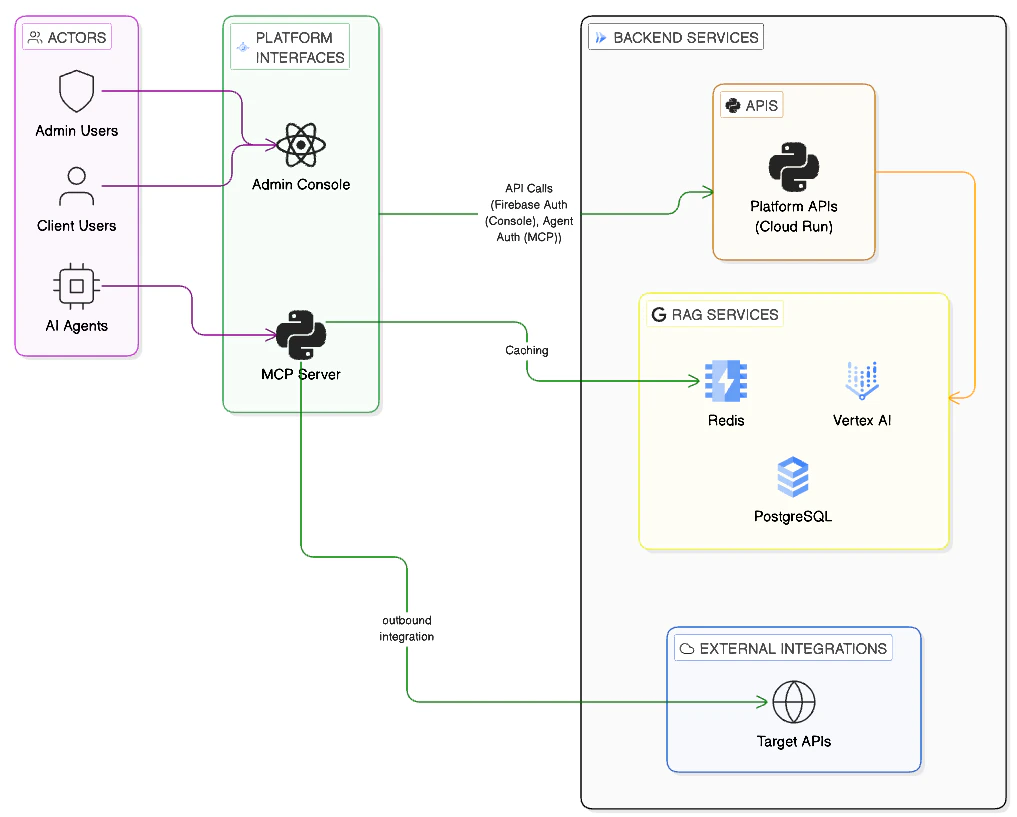
Sari Platform Architecture
How It Works
Registration and Approval
- You sign up on the Admin Console and fill in your profile
- An admin reviews and approves your registration
- You can now connect your AI agent to the MCP Server
AI Agent Workflow
Once approved, your AI agent can discover and call APIs: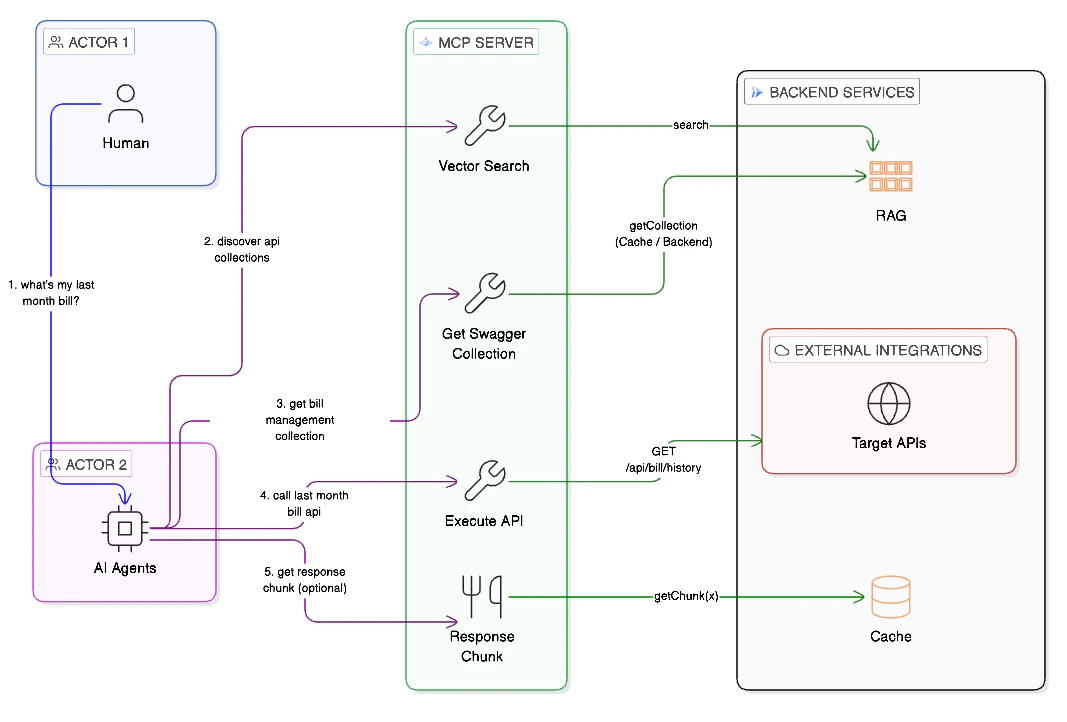
MCP Tool Flow
1
Search for APIs
Your agent calls
search_api_collections with a natural language query (e.g., “payment processing”). The platform performs a vector search and returns matching collections with similarity scores.2
Get the API spec
Your agent calls
get_openapi_spec to retrieve the full OpenAPI specification for a collection. This tells the agent what endpoints, parameters, and responses are available.3
Execute API calls
Your agent calls
execute_api with the collection name, HTTP method, endpoint, and any required parameters. The platform proxies the request to the target API and returns the response.